Web view
A live picture of the repository's changes in the browser, started from the CLI.
git zit web            # serves on http://127.0.0.1:4747 and opens the browser
git zit web --port 5000 --no-open
Run it in the repository. It refreshes every second and a half, and follows your system’s light or dark setting; the header button switches it.
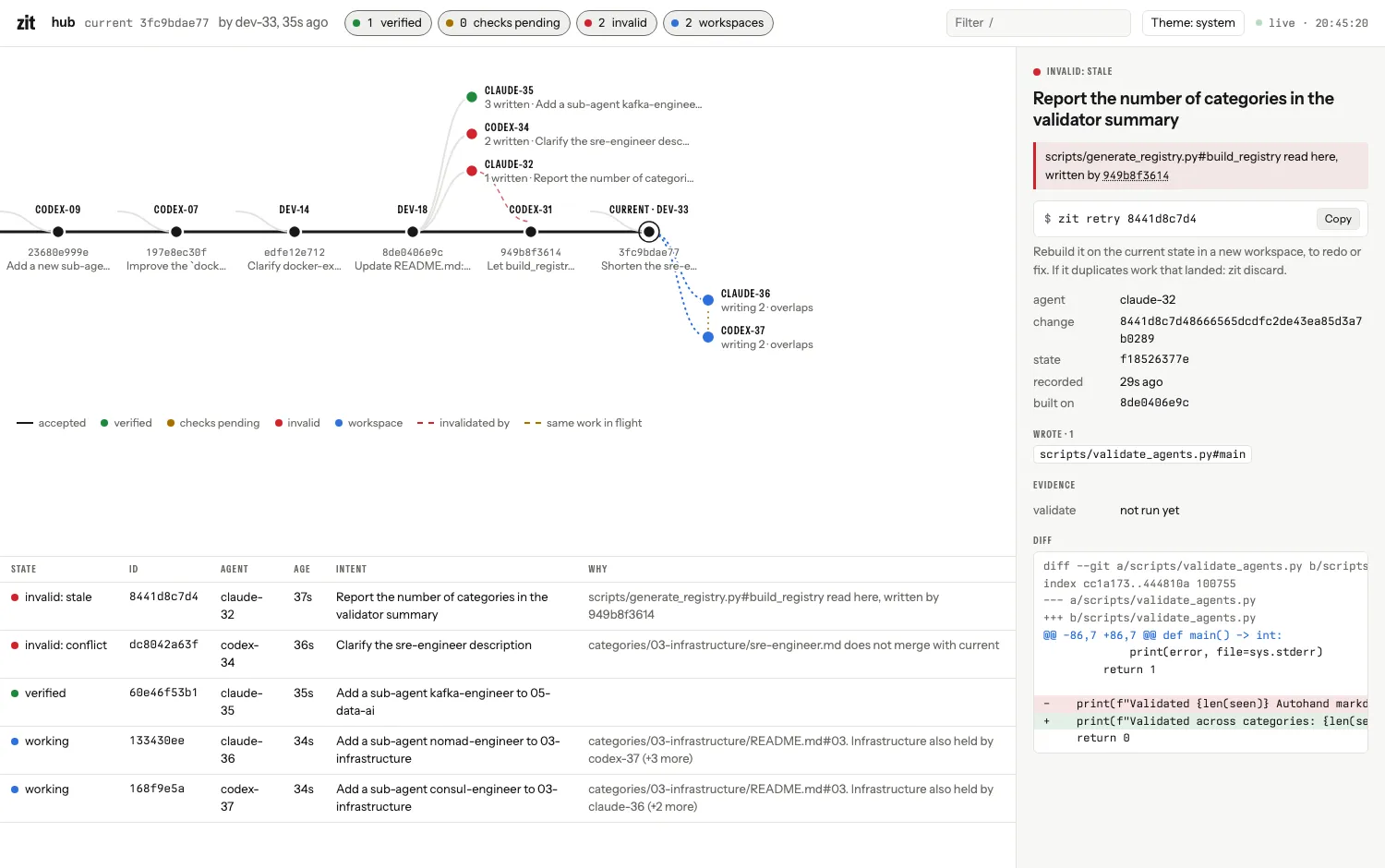
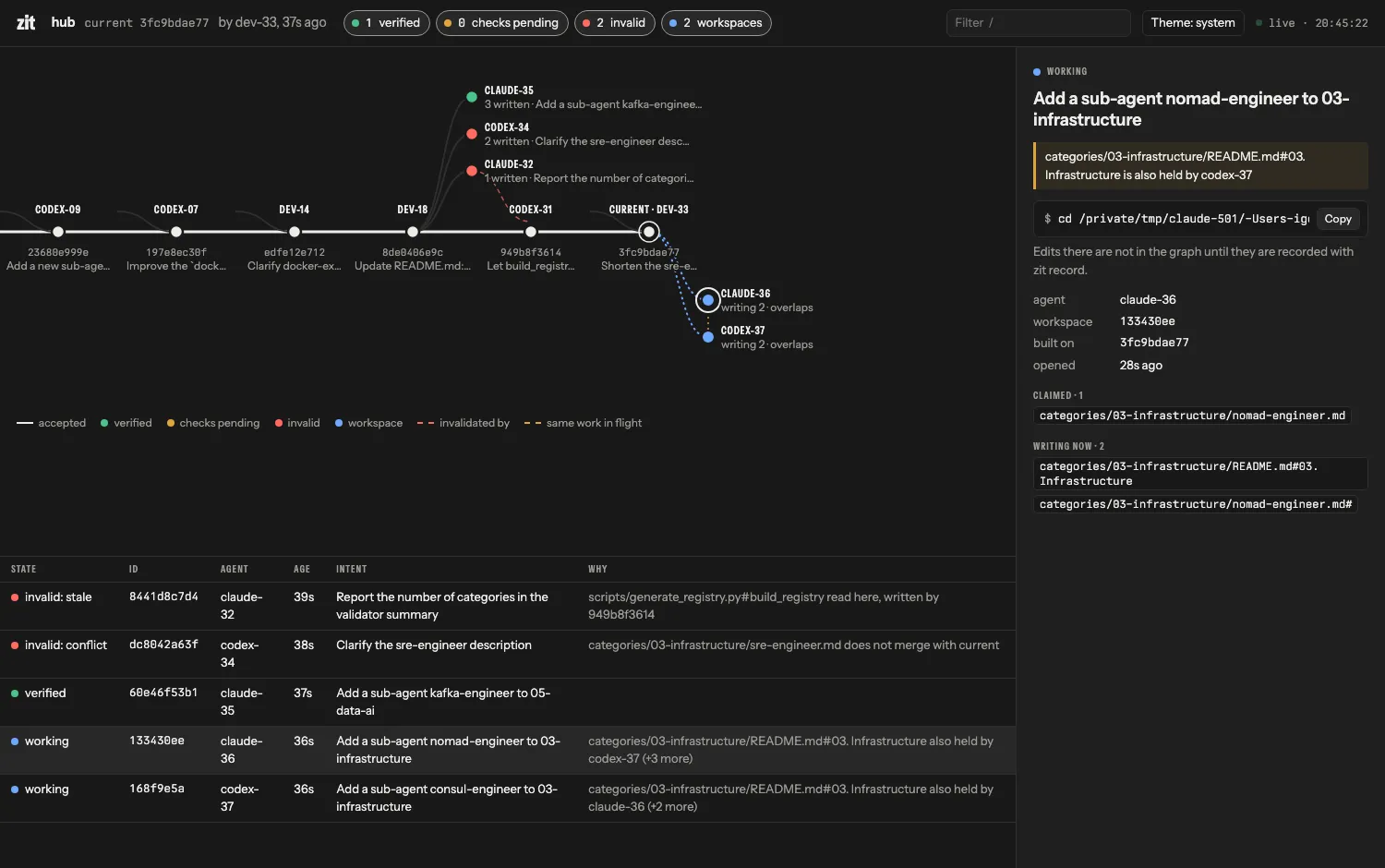
Reading it
| Element | Meaning |
|---|---|
| The horizontal line | Accepted changes, oldest on the left; the ringed node is current. The label above each node is who made it. |
| A short curve joining the line | That change was composed onto current rather than built directly on it. |
| Nodes above the line | Changes not accepted yet, attached where they left the line. Green: verified. Amber: checks pending. Red: invalid. |
| A dashed red line | From a stale change to the accepted change that invalidated it. |
| Nodes below the line | Open workspaces. Outlined until they hold edits, then filled. |
| A dotted amber line | Two pieces of unaccepted work are writing or claiming the same thing. |
| The table | The same changes and workspaces, with the first reason for each. |
Using it
- Select a node or a row to see the intent, the agent, what was written, every reason it is invalid, the evidence and the diff. For a workspace: what it has claimed, what it is writing right now, and who else is writing the same thing.
- The next command for the selection is shown with a copy button:
zit accept …for a verified change,zit retry …for a stale or conflicting one,zit check … --rerunfor a failed one,cd …for a workspace. - Filter with the chips in the header (verified, checks pending, invalid, workspaces) or by typing after
/: agent, id, intent or file. - Keys:
jandkmove through the table,/filters,Escclears. - Links: the address bar follows the selection, so
http://127.0.0.1:4747/#443c575da5opens on that change.
What it does not do
It is read-only: it answers GET only, and only to requests addressed to localhost. Accepting, retrying and discarding stay in the CLI and the terminal UI (zit ui). It listens on the loopback interface only; if the port is taken, a free one is chosen and printed.
Typography is Autohand Sans and Autohand Mono, served by zit itself (SIL Open Font License 1.1).